A runtime you control: skills, commands, and hooks
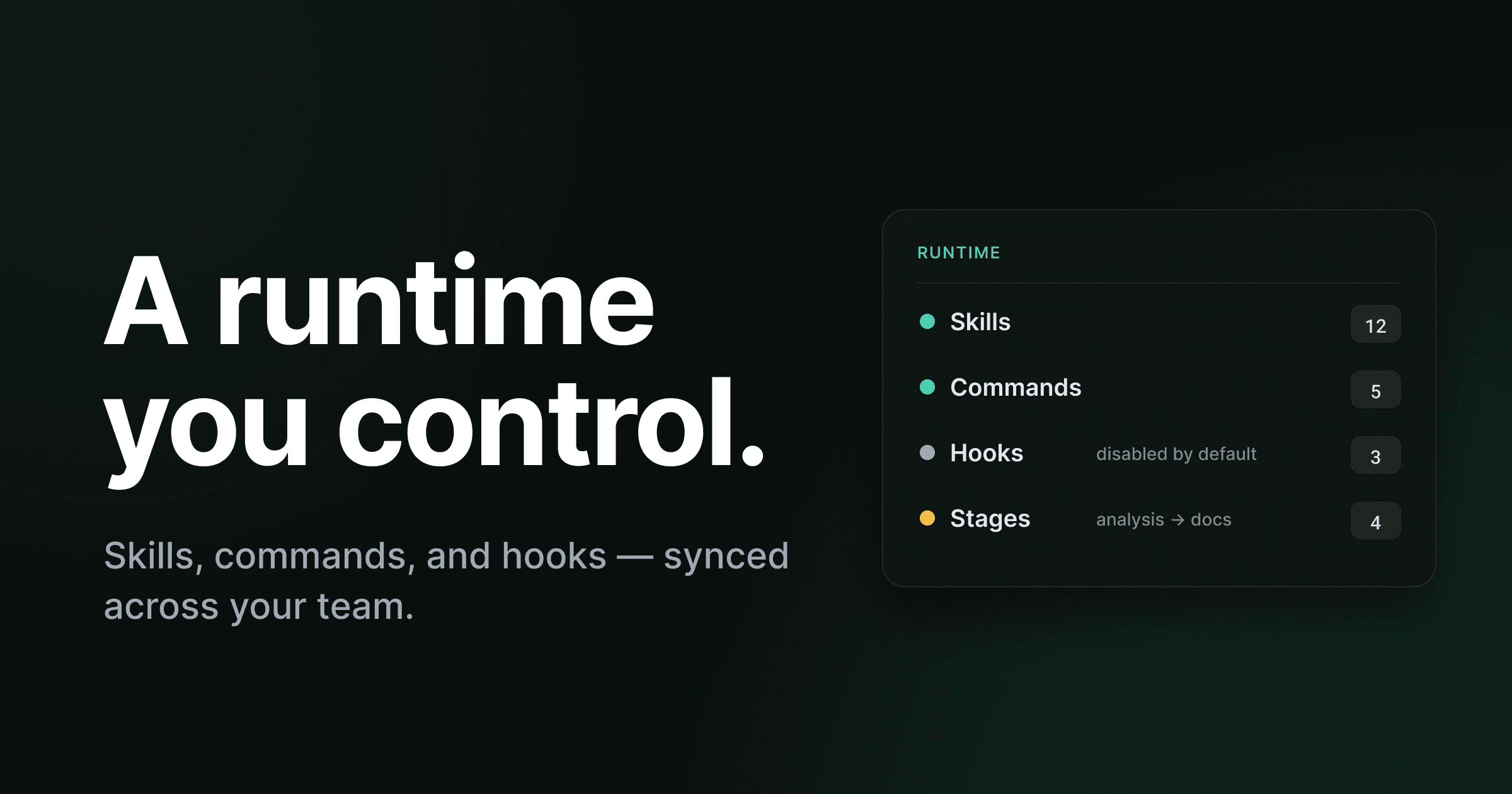
An agent is only as good as the tools and guardrails it runs with. Give it a model and a prompt and it can write code. Give it your team's skills, your slash commands, and a hook that blocks a secret before it commits, and it writes code the way your team writes code. The model is the engine. The toolkit is the difference between output and shippable work.
So where does that toolkit live?
For most teams, the honest answer is: scattered. A skill in one developer's dotfiles. A slash command someone wrote three months ago that only they remember. A hook in a settings.json that ships in the repo but nobody enabled. Everyone's setup drifts from everyone else's, and the agent each person runs is subtly a different agent. Worse, on most tools the tool list is something you read, not something you drive — you can see what's configured, but changing it means editing files by hand and hoping the next person pulls them.
Trinity's answer is the Runtime: one synced home base for everything your coding agents run with — and a place where you create new tools just by describing what you want.
The Runtime: one home for what your agents run with
When your project finishes setup, Trinity gives it a Runtime. It's the home base for four things, and it appears once and applies everywhere.
The Runtime — one synced home for everything your agents run with
The registry of reusable capabilities your agents reach for — "write our release notes", "scaffold a migration". Browse, add, and remove them from one place.
The slash commands your agents and your team invoke by name. Edit them, rename them, retire them — not a read-only list.
The automated steps that fire around an agent’s actions — block a secret before it commits, run a formatter after an edit. You set which events and tools each one fires on.
Maps your skills onto the stages of a run — analysis, implementation, audit, documentation — so each agent reaches for the right tools instead of seeing everything.
Add it once · syncs to every device and teammate
These four surfaces will look familiar to anyone who's used skills and hooks in an agent CLI — they're the same family of concepts. A skill is a reusable capability with instructions for a task. A slash command is a shortcut you invoke by name. A hook is an automated step that fires on a lifecycle event — a file edit, a tool call, the start of a run. Trinity didn't invent those primitives. What it did was make them a shared, governed surface instead of a pile of per-developer files.
The word that matters most here is synced. What you add to the Runtime syncs to all your devices and to every teammate on the project. Add a skill on your laptop, and the agent running on your colleague's machine has it too. The drift problem — where everyone's agent is quietly a different agent — stops being a problem, because there's one toolkit and it's shared by construction.
This is the same instinct behind everything Trinity does: take something that's normally ambient, per-machine, and easy to get out of sync, and make it explicit, shared, and resolved at the right scope. We did it for git destinations. The Runtime does it for the agent's toolkit.
Describe it. Get a well-formed skill.
Here's the part that changes how it feels to use. You don't hand-author a skill file, get the frontmatter wrong, and debug why it won't load. You describe what you want, and an agent drafts it for you — right inside a Runtime conversation.
"A skill that writes our release notes from merged PRs." "A hook that blocks committing secrets." "A command that scaffolds a new migration the way we do them." You bring the intent; Trinity produces the well-formed artifact.
And nothing changes your setup behind your back.
Describe what you want
Open a conversation in the Runtime and say it in plain language — the skill, command, or hook you wish your agents had. No template to fill, no schema to memorize.
An agent drafts it
Trinity turns your description into a properly structured skill, command, or hook — frontmatter, instructions, the events a hook fires on, all of it. You get a real artifact, not a stub.
Review the full diff
The draft opens in a side panel with a complete diff. You see exactly what's being added or changed, line by line, before any of it is live.
Accept or reject
Hit Accept and it joins your Runtime and syncs to the team. Hit Reject and nothing changed. The decision is always yours, and it's always explicit.
That diff-in-a-side-panel step is the whole point. Generating a skill with an LLM is easy; the risk is that something starts shaping your agents' behavior without you having looked at it. Trinity refuses to let a generated artifact go live unreviewed. Bring an idea, get a well-formed skill — but read it first.
Not a read-only list — something you drive
Plenty of tools will show you the skills and hooks you have configured. Far fewer let you actually manage them without dropping into a text editor.
In the Runtime, you drive all of it. Browse the Skills registry and add or remove what's there. Edit a command, rename it, or retire it. And for hooks, you manage the part that matters most: when they run. Enable or disable any hook. Set exactly which events and which tools it fires on. Edit it. Remove it. The Runtime is a control surface, not a status page.
That control over when a hook fires is more than a convenience. A hook is code that runs automatically, often with your full shell privileges — Claude Code's own hooks documentation is blunt that hooks "execute arbitrary shell commands" and you are "solely responsible" for what they do. Deciding precisely which events and tools a hook attaches to is how you keep an automated step doing exactly one job and nothing more.
Hooks arrive disabled. On purpose.
Which brings us to the single most important safety property of the Runtime.
A new hook arrives disabled. It will not run until you explicitly turn it on — so accepting a hook can never, by itself, start changing how your agents behave.
This is deliberate, and it's worth dwelling on. The most realistic way an agent setup goes wrong isn't a dramatic exploit — it's an automated step that quietly starts running before anyone meant it to. The industry has already seen the sharp edge of this: security researchers have shown that hooks committed in a repository's config files run on your machine when triggered, which means a cloned repo can carry a hook you never reviewed. The standard advice is to treat a hook config like a package.json postinstall script — review it as code.
Trinity bakes that caution into the default. Accept a hook and it's present but inert. It does nothing until you make a second, separate, deliberate decision to enable it. Acceptance and activation are two different acts, and a hook can't skip the second one. That gap — present but off until you say otherwise — is what makes the Runtime safe to fill with powerful automation.
Two decisions, never one
Authoring or importing a hook is one decision. Enabling it is a separate one. A hook is only ever live because someone looked at it and explicitly switched it on — never because it happened to be accepted, pulled, or imported.
Stage config: the right tools at the right moment
Handing an agent every tool you own isn't generosity — it's noise. An agent doing read-only analysis doesn't need your migration scaffolder. An agent writing documentation doesn't need your security-review pass. Give every agent everything and you spend tokens on irrelevance and invite the wrong tool at the wrong time.
The Runtime's Stage config fixes that by mapping your skills onto the stages of a run — analysis, implementation, audit, documentation — so each agent reaches for the tools that fit its job.
Stage config — the right skills at the right moment in a run
Each agent sees only its stage’s tools · no agent sees everything at once
This lines up directly with how Trinity executes work. Every story moves through a pipeline — Analyst, Implementer, Auditor, Documenter — and now each stage of that pipeline can carry its own slice of the toolkit. The Analyst leans on codebase-mapping and risk-finding skills; the Implementer gets the scaffolding and test-writing tools; the Auditor runs the review and simplification passes; the Documenter handles release notes and PR summaries. Each agent sees a focused, relevant set instead of the whole drawer. You can read how those stages run in the execution pipeline docs.
The result is sharper agents and cleaner runs. Specificity over generality — at the level of which tool fires when.
Bring your existing skills when you import
If your codebase already has skills tucked inside it, you don't start from a blank Runtime.
When you import an existing project, Trinity finds the skills already living in the repo, lifts them out, and stages each one for review. You adopt the ones you want with a click — and the ones you don't, you leave behind. Your original files are never touched; Trinity reads them, it doesn't rewrite them. The skills your team already encoded come along for the ride instead of being abandoned at the door. The full import flow is documented here.
It's the same review-first principle as describe-to-create: nothing enters your Runtime without passing in front of you first.
Ad-hoc tooling vs. a synced Runtime
Here's the shift, side by side.
| Concern | Per-developer config files | Trinity Runtime |
|---|---|---|
| Where tools live | Dotfiles, repo configs, someone’s memory | One Runtime per project |
| Sharing | Hope teammates pull the right files | Synced to every device and teammate |
| Creating one | Hand-author files, debug frontmatter | Describe it, an agent drafts it |
| Reviewing a change | A diff in a PR, if you’re lucky | Full diff in a side panel, Accept/Reject |
| Managing hooks | Edit JSON by hand | Enable/disable, set events & tools in the UI |
| New hooks | Live as soon as the file is present | Arrive disabled until you turn them on |
| Stage awareness | Every agent sees everything | Skills mapped to analysis/impl/audit/docs |
Where this sits, honestly
Let's be fair about what's new and what isn't.
Skills, slash commands, and hooks are not a Trinity invention. They're well-established primitives in today's agent CLIs — Anthropic documents skills as reusable, frontmatter-driven capabilities, and the broader ecosystem has built a whole catalog of skills, hooks, and slash commands around Claude Code. If you've used those, the Runtime's vocabulary will feel like home. That's intentional. We're not asking you to learn new concepts.
The differentiation is in what surrounds the primitives. In a CLI, your skills and hooks are local files — powerful, but per-machine, hand-edited, live the moment they exist, and easy to drift out of sync across a team. Trinity takes the same primitives and makes them a team-synced, stage-aware registry where you create by describing, review every change as a diff before it goes live, and where hooks stay off until you explicitly enable them. Same building blocks; a shared, governed, safer surface around them.
That's the pattern across Trinity, really: meet developers where they already are — real git, real PRs, real agent harnesses — and add the structure a team needs on top. We wrote about the same philosophy at the harness layer. The Runtime is that philosophy applied to the agent's toolkit.
Your toolkit, shared and governed
Come back to where we started. An agent is only as good as the tools and guardrails it runs with — and for most teams those tools and guardrails are scattered, drifting, and read-only.
The Runtime makes them one thing: a synced home for the skills, commands, and hooks your agents use, where you create new tools by describing them, review every change as a diff before it's live, keep hooks disabled until you mean them, and map skills onto the stages of a run so each agent reaches for the right thing. The toolkit your team uses to encode its conventions stops being tribal knowledge and becomes shared, governed infrastructure.
If you remember one thing: the toolkit is the product, not an afterthought — so it deserves a home you actually control.
See the full release in the 0.3.14 changelog, or dig into the details in the Runtime documentation.