Browse your code like an IDE, inside Trinity
When agents write most of the code, the job that's left is reading it. That's the quiet shift nobody warns you about. You stop typing functions and start vetting them — a hundred lines you didn't write, across files you didn't open, in a commit you didn't make. The bottleneck moved. It used to be authoring. Now it's review.
And review, in most AI coding setups, happens somewhere else. The agent finishes, opens a pull request, and hands you a link. You leave the tool that planned and ran the work, land in a browser tab, squint at a diff, click around for history, maybe pull up blame to figure out why a line is the way it is — then tab back to where the actual work lives. Every loop costs a context switch. Multiply that by every story, every day, and the cost of reading what your agents shipped starts to rival the cost of writing it yourself.
Trinity's code viewer grew up to close that loop. In 0.3.12 it became a real code browser: a commit history graph, per-commit diffs, line-by-line blame, markdown and image and PDF preview, file tabs, and genuine VS Code syntax highlighting — all inside the app, right next to the agents that produced the code.
Reading is the new bottleneck
Here's the trap. The faster your agents ship, the more code arrives at your door for review. Speed on the writing side becomes pressure on the reading side. If reviewing is slow and scattered, your throughput is capped by how fast a human can context-switch to GitHub and back — not by how fast the agents work.
This is the part that surprises people who came up writing every line themselves. Reviewing code you didn't author is harder than reviewing your own. You don't have the mental model the author had. You're reconstructing intent from the artifact — which means you lean far more heavily on history, on commit messages, on blame, on why is this here than you ever did for your own work. The tooling that used to be a nice-to-have becomes the main event.
So the question isn't "can the agent write this?" It's "can you understand what it wrote, fast, where you already are?" Understanding code means three things, and they're rarely in one place:
- What changed — the diff for this commit, file by file.
- When and why — the history that led here, and the messages that explain it.
- Who and what before — blame, so you can see which commit last touched a line and trace it back.
Send any one of those to a separate browser tab and you've broken the flow. The fix is to put all three where the work happens.
One viewer — History, Diff & Blame, no browser tab required
Add rate limiter to API gateway
Merge feature/billing into main
Extract usage metering helper
Seed plan tiers
src/api/rate-limit.ts
Lines you authored, highlighted
A history graph, not a flat log
Open the History view and your repo's commits lay out as a branching graph — not a flat list, the actual shape of how work merged together. Each commit shows its message, author, and time. Hover and a card surfaces the full message plus a clean "N files changed, +X −Y" summary, so you can judge the size of a change before you commit to reading it. Scroll back through time and load more on demand; you're not waiting on the whole history to render.
This matters because a graph tells you things a log can't. You can see that a feature branch fanned out and came back. You can spot the merge commits at a glance — Trinity badges them clearly, so when you open one you know you're looking at what the merge brought in, not a fresh authored change. When agents are running stories in parallel, each on its own branch, the graph is how you read the topology of a busy repo instead of guessing at it.
Click a commit, see exactly what it changed
Every commit opens to its diff, file by file, with full before-and-after content in a clean stacked layout. Renames are tracked, so a moved file reads as a move — not as one giant deletion next to one giant addition. Merge commits are badged, so you always know what kind of change you're reading.
Blame that points back at the agent
Diffs tell you what changed in this commit. Blame tells you the story of a line across all of them — and when an agent wrote the code, that story is exactly what you need.
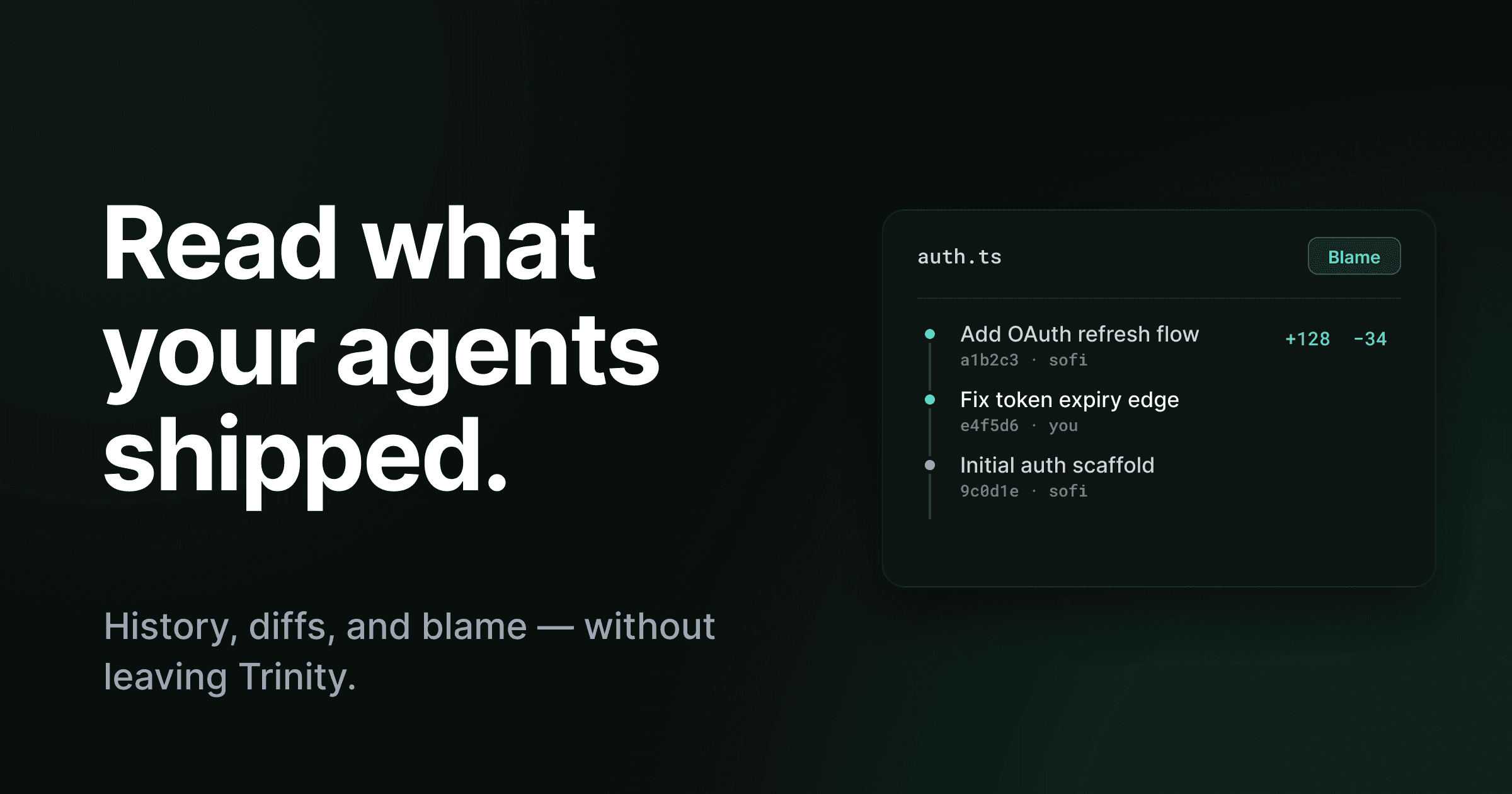
Toggle Blame on any file and the gutter fills in: which commit last changed each line, and who wrote it. Your own lines are highlighted, so your work stands out from everything the agents produced at a glance. And blame isn't a dead end — click a line's commit in the gutter and Trinity opens that commit's diff and lands you on it in History. You go from "why is this line here?" to "here's the exact change that introduced it, and the message that explains why" in one click, without leaving the viewer.
That's the move that makes review fast. A suspicious line isn't a mystery you go investigate elsewhere. It's a commit you're one click away from. Blame stays on as you move between files, so you can sweep a whole change set with provenance always visible.
The viewer keeps your place — which file, History or not, blame on or off — in the address bar. Paste that link to a teammate and it reopens exactly what you were looking at: the same file, the same commit, the same blame state. Review becomes something you can hand off, not just something you do alone.
It's a browser for everything in the repo, not just .ts files
Code isn't only code. A pull request touches a README, a design spec, a screenshot dropped into the docs, a PDF the agent was told to follow. A viewer that only renders source forces you back out the moment a change touches anything else.
So Trinity's viewer renders the rest, too:
- Markdown and MDX get a Raw/Preview toggle — read the docs rendered the way they're meant to look, or drop to the source, without leaving the viewer.
- Images (PNG, JPG, GIF, WebP, SVG, and more) render inline instead of throwing a "binary file" message. Same for PDFs — they preview right there. Other binaries still show a clean placeholder instead of garbage.
- File tabs let you open several files at once in a familiar strip. Single-click previews a file, double-click pins it, and
Cmd/Ctrl+Wcloses the active tab — the muscle memory you already have from your editor.
The viewer chrome — breadcrumb, branch picker, file tabs
Real VS Code themes · single-click previews · double-click pins · Markdown, image & PDF render inline
And the source itself finally looks right. Files render with real VS Code color themes that follow your Trinity light/dark setting, with proper highlighting across the languages you actually use — TypeScript, Rust, Go, Python, Java, Kotlin, Swift, Ruby, PHP, shell, SQL, CSS, YAML, TOML, and more. The whole thing opens as a full-window workspace with a static breadcrumb showing where you are and a clear commit-and-branch picker, so moving between files stays steady instead of jumpy.
Closing the review loop, everywhere it shows up
The code browser is one surface in a bigger theme: review the agent's work where the work already is. Once you have a real history-and-blame browser in the app, the rest of the review surfaces can lean on it.
That's why the PR Review gate now shows each pull request's diff inline, right next to the Approve / Feedback / Skip buttons — you read exactly what changed before you approve, instead of opening the PR in a browser. And once a story merges, its detail page grows a collapsible Changes section with the full merged diff rendered inline, one panel per repository, so you can see what a story shipped without going anywhere.
The code browser, the PR gate, the story page — three places you'd normally have bounced to GitHub, now answered in place.
| Reviewing agent work | Bounce out to GitHub | Review in Trinity |
|---|---|---|
| Where you read the diff | New browser tab, per PR | Inline, next to the agents |
| Commit history | GitHub network graph | Branching graph in the viewer |
| Blame | Separate file view on GitHub | Gutter toggle, click through to the commit |
| Docs, images, PDFs | Open each separately | Rendered inline in the same viewer |
| Sharing a view | Copy a GitHub URL | Copy a Trinity link that restores file + commit + blame |
| Context switches per review | One or more every loop | Zero — you never leave |
Where the field is, honestly
Let's be fair about what this is and isn't. It's a code browser — a fast, read-oriented viewer with history and blame. It is not a full editing IDE, and it isn't trying to be. You don't write code here; your agents do. This is the surface for reading what they wrote.
And plenty of tools let you read code. The honest distinction is where the reading happens relative to the agent. The autonomous, cloud-style coding agents tend to hand review back to GitHub. GitHub's Copilot coding agent opens a pull request and you review it on GitHub.com in the pull request itself — which is sensible, because the agent is GitHub. OpenAI's Codex cloud agent works the same shape, authenticating through GitHub and surfacing its work as PRs.
Editor-first tools like Cursor are the other pole: because they're built on a full editor, you get diffs and git tooling right there — but that's review living in your editor, separate from wherever you planned and dispatched the work. The gap is real enough that the community keeps building standalone, GitHub-style diff viewers for agent CLIs just to read what the agent did without pushing first.
Trinity sits in a different spot. It's the app that planned the work and ran the agents — and it also carries the history graph, the per-commit diffs, and the line-by-line blame. An integrated history-and-blame browser living inside the agent orchestration tool, not in a separate editor and not back on the host, is the uncommon part. The point isn't that nobody else can show a diff. It's that you shouldn't have to leave the room where the work happened to read it.
Read it where you ran it
The shift is simple to state and easy to underestimate: when agents write the code, your leverage is in reading it well and reading it fast. Anything that scatters that reading across tabs and tools is a tax on the exact thing that now matters most.
So Trinity put the reading where the running is. Browse the repo, walk the history graph, open a commit's diff, flip on blame and click straight through to the change that introduced a line — all in the app, with your place saved in the URL so a link reopens the exact view. No browser tab. No leaving to come back.
When your agents ship, you review what they shipped — without going anywhere. See the full release in the 0.3.12 changelog.