AI agent secrets: keeping .env files out of agents' reach
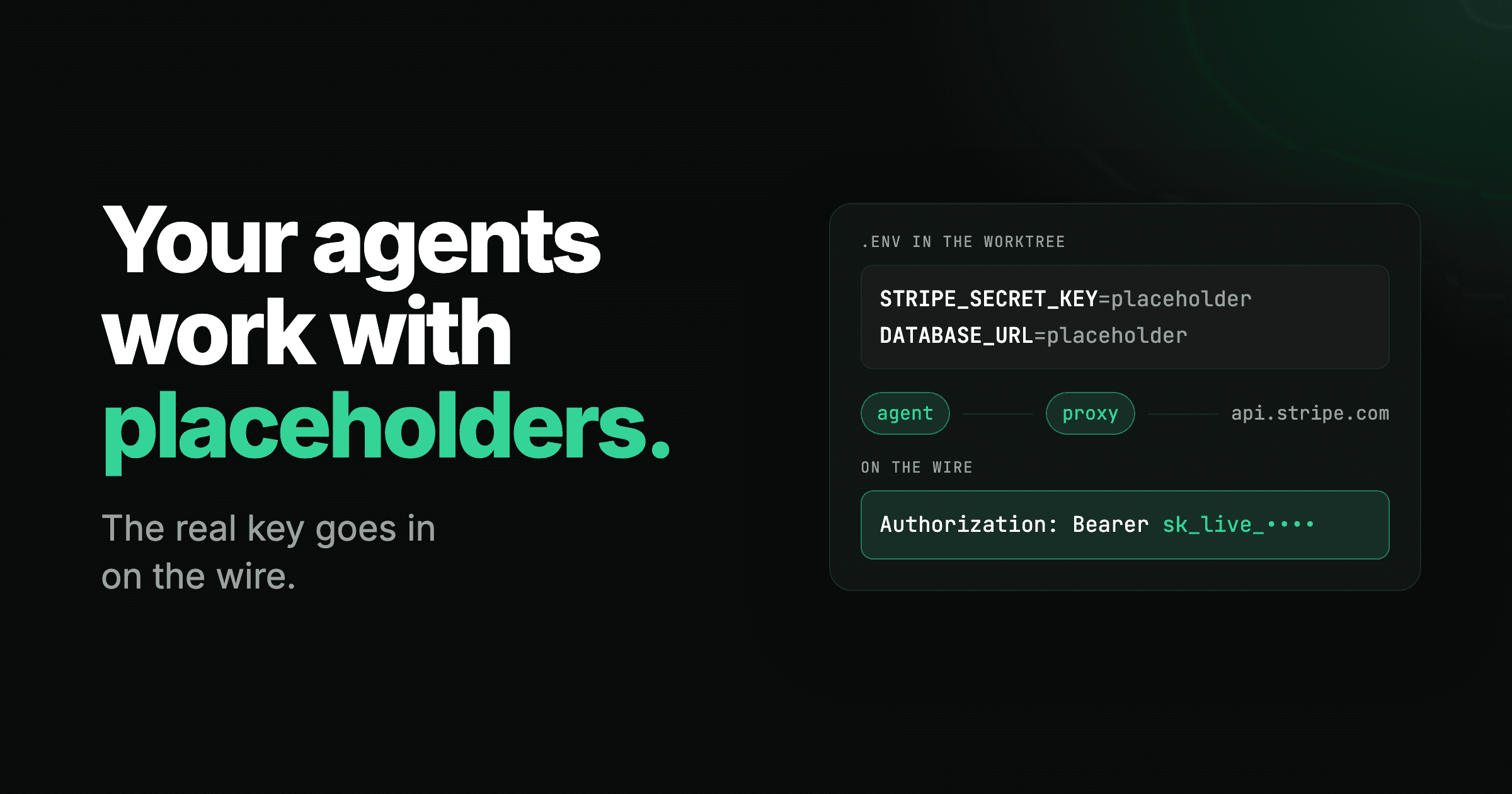
A coding agent runs whatever command it decides to run.
That is the job. It also means a .env in the checkout is one cat away from a transcript, a log or a pushed commit. A key in the shell environment is one env away. Nobody has to attack anything. The agent is just being thorough, and the value ends up somewhere that outlives the run.
Trinity 0.7.0 changes how AI agent secrets work. The rule: a secret's real value reaches only a path the agent does not control. Anything a process can read, an agent that picks the command can read. So for the two protected classes the agent's process tree never holds the value, and the one class that lets it is labelled for throwaway keys.
This post covers how that works, which ideas we borrowed, and the part we like best: what it does for a new computer.
Here is the request path. Flip it between Proxy only and Proxy + fence and watch what a request that ignores the proxy does.
Stand-in keyReal keyUnchecked
A client that ignores the proxy settings skips the proxy. Its request leaves unchecked: no host rule, no audit.
Three classes, chosen by you
Every secret in Trinity carries a class, and nothing is chosen for you. Save is off until you pick one. Each class names a different path from the store to a process:
Only on hosts you choose
The agent never holds the value
- What the agent holds
- A stand-in, the name, the hosts
- How the value is used
- Trinity adds the value to requests sent to the hosts, places and request types you bound
Signing only
The agent never holds the value
- What the agent holds
- The name and the steps
- How the value is used
- Only Trinity's signing step uses it, for the steps you list
The agent can read it
Throwaway keys only
- What the agent holds
- The value
- How the value is used
- For test or throwaway keys that are cheap to replace. Delivered to processes Trinity starts
The binding is fixed when the secret is saved. Which hosts, which header or query parameter, which request types: all of it is set at save, and only a person can change it. An agent cannot set or change a class or a binding. Editing one on a secret that holds a value opens Review change, which shows what the secret stops allowing and starts allowing, line by line. Nothing applies until you press Confirm change.
An agent can ask Trinity which secrets exist and how each may be used. It gets the name, the description, the class, who can use it and whether it is set. Never a value.
What a worktree holds: names and placeholders
Every worktree gets a .env listing the name of each secret the project declares, each set to a placeholder that is plainly not a credential. Tools that look for the file still find their names. An agent that reads it learns nothing it can misuse.
Trinity writes that file without decrypting anything. A machine that has not received your keys yet writes the same file. The file is also listed in the repo's .git/info/exclude, so it never gets committed.
A credential that has to be a file, like a service-account JSON, reaches the process through a one-time pipe that exists only for that process. Nothing is left on disk.
The proxy swaps the real value in on the wire
For a key set to Only on hosts you choose, the agent works with a stand-in. When a request leaves for a bound host, Trinity's sandbox proxy swaps the real value in. It does that only for the hosts, locations and request types you bound, and it scrubs the response on the way back. A request that carries the stand-in anywhere else is refused.
Where secrets were sent
Every use is audited, with no values recorded. Under the secrets list, Where secrets were sent shows each time Trinity sent one and where.
The same proxy does more than header injection:
- Request signers. AWS SigV4, HMAC and JWT. A program signs with a stand-in and Trinity replaces the signature with one made by the real key, only for the hosts you list.
- Short-lived minted credentials. A GitHub App token made for each run and revoked when the run ends. An AWS role Trinity assumes for each run, signing with that session.
- A database proxy. The run gets a connection string for a proxy on your machine with a placeholder where the password goes, and Trinity logs in with the real one. A login as another role or to another database is refused.
The signing broker handles notarize and codesign
Some tools sign locally and can't go through a proxy. For those, Trinity runs a signing broker. The agent names one of a fixed set of operations and an artifact in its own checkout. Trinity builds the command, writes the key for that one process and removes it when the process ends.
notarize_submit and codesign each wait for your approval of that exact artifact. A key that lives in your ssh-agent or gpg-agent stays there, and you can turn on Ask me before each signature to approve every one on a card.
Defense in depth: masking, push scan, fences
Three more layers sit behind the routing. Each assumes the one before it failed.
Masking on every output surface
A stored value and its base64, hex, URL-encoded and JSON-escaped forms show [masked] in agent transcripts, thread messages, task results, errors, the prompts agents are handed, Run Project's output and crash reports. Not only in command output.
Masking matches a value and an enumerated set of derived forms. A transform outside that set is not caught, and a value shorter than 8 characters is not masked. This is why masking is the last layer, never the first.
A push with a secret in it is refused
Before a push leaves your computer, Trinity asks git what the push would publish. It checks every commit, the added lines of each file, the commit messages and the messages on any tag it creates. A match stops the push and names the key and where it was found, never the value.
Fences and a minimal env
Agent CLIs launch with a minimal environment built from an allowlist, never inherited. A GH_TOKEN, a cloud key or an SSH_AUTH_SOCK you exported never reaches the agent process or its shell. The fence also denies an agent's commands the .env* files of their own checkout, the login and system keychains and GnuPG's private keys, and on a Mac the keychain service. .env.example stays readable. On macOS a fenced process can read only its own environment and command line, not those of other programs you run.
The fence has limits we write down. A secret kept in a process outside the sandbox is not out of an agent's reach on macOS, because the system lets a process read the environment of any other process you own. A host that reflects a credential in a form the response scrub does not recognize returns it. A host that pins certificates or asks for a client certificate cannot take an injected secret. These are stated as residual risk, not hidden.
What we took from Varlock, T3 Code and others
None of this started from nothing. Here is where the ideas came from, and where we think we differ.
Varlock. Varlock's credential proxy puts a placeholder in the child's environment and swaps the real value in on the wire, for matched domains, after verifying the upstream. That is the core of our proxy path. Its docs are honest about the gap: "on its own it is not a sandbox," and a client that ignores the proxy variables or pins its own CA skips it, which Varlock says to cover with its --sandbox flag or a container or VM. Trinity runs agents inside a fence, so the agent's network traffic leaves through the proxy, which allows only the hosts a run was granted. That is how we close the bypass for the agent's tree. It is the contrast in the diagram at the top: the proxy alone covers the requests that use it, and the fence covers the ones that do not.
T3 Code. Two behaviors from T3 Code shaped our design. One fix makes saved secrets reach only the destination they were saved for, with only a providers:manage grant able to point one somewhere new. That is the idea behind our fixed-at-save bindings. Another keeps Devin terminals from inheriting the launching thread's T3 MCP credentials, which is the same instinct as our minimal agent environment.
Fly.io, CyberArk and 1Password. Fly.io's tokenizer is an HTTP proxy that injects third-party credentials into requests, with per-secret host allowlists and processors for HMAC, SigV4 and GitHub App tokens. We recognise a lot of our signers in it. CyberArk's Secretless Broker relieves client applications of handling secrets by authenticating on their behalf over protocols such as Postgres, MySQL and SSH. Our database proxy has the same shape. And 1Password's own release notes call op run's output masking "best effort" that "does not guarantee concealment." We took that seriously: it is why derived forms are enumerated, and why the remainder is stated as residual risk.
Our contribution is combining them. A placeholder .env, an on-the-wire proxy inside a fence, a signing broker, masking everywhere and a push scan, all under one class and binding you set once.
The advantage: a new machine just works
Here is where this design pays off. Your secrets are not in a file you copy around. They live in one encrypted store, encrypted and decrypted on your own devices. The server holds only ciphertext, and there is no server-side key.
Setting up a new computer:
only
The server holds ciphertext only.
The new machine signs in.
Sign in
Sign in with the device code flow. The new machine enrolls as a pending device: it can't read encrypted secrets yet.
Approve it from a device you already have
Open App Settings → Profile → Devices on a machine you already use and click Approve. Only you can approve a device. A workspace owner or manager never can. Lost every device? Restore with your 12-word recovery code instead.
Set up the project
Projects you created elsewhere show up in the project list. Click Set up and Trinity clones the project into its own managed location, materializes the project's secrets and service-config files, and refreshes the workspace docs.
No .env to copy, and no secret ever sat in your checkout. Each secret's class and binding is stored with it, so the proxy rules come along: an agent on the new machine gets the same stand-ins and the same protections as on the old one.
A few things are per-machine, and we would rather say so. Tools the project requires, such as Docker or Node.js, have to be installed on the machine, and Trinity shows what is missing and offers to install it. A git account connected on another machine may show Not set up on this device until you click Set up here. A signing identity lives in the device's keychain, not in Trinity's store, and an agent key stays in the ssh-agent or gpg-agent of the machine it is on.
Your own Yours secrets are encrypted under a key only you hold. Shared ones are encrypted under the workspace key, held by the devices of current members. Remove a member and the workspace key rotates. See Workspaces for how teams share it.
Encrypted with your personal key. Teammates can't read these — not even inside a shared workspace.
Held only on team members' devices. Remove a member and the workspace key rotates automatically — new writes are unreadable to them.
Rotation protects new secrets only — rotate anything a former member already saw at its source.
The full cryptography, from device keys to the recovery code, is in end-to-end encrypted secrets.
What to do with this
Save your keys with the narrowest class that works. Prefer Only on hosts you choose. Keep The agent can read it for throwaway test keys. Read Where secrets were sent after a run.
With the first two classes the agent never holds the key, so there is nothing for it to leak. With the third, it can, which is why that class is for throwaway keys.
The details live in the docs: Secrets for the editor and every class, Signing In for new devices, and App Settings for approving them. Trinity 0.7.0 ships all of it.